NetGeoAudit / network audit for Windows
Live firewall monitoring, rule management with risk scoring, system geo-audit. One window for everything happening on your network.
Perpetual, one machine
- Free edition — available indefinitely, no time limit, but with reduced functionality
- Full license unlocks every feature without restriction
- Perpetual key after purchase; v1.x updates included
- One machine per key; volume discounts from 5+
- Commercial use allowed
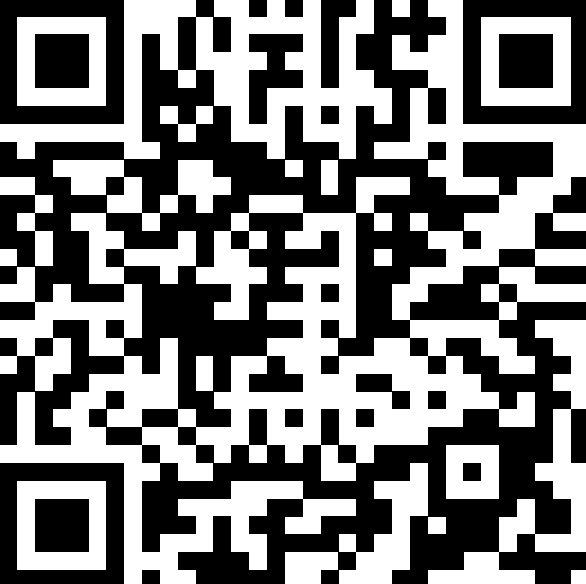
Buy a license / via QR code
/ 5000 ₽
Features / what's inside
/ featuresNet Log Live
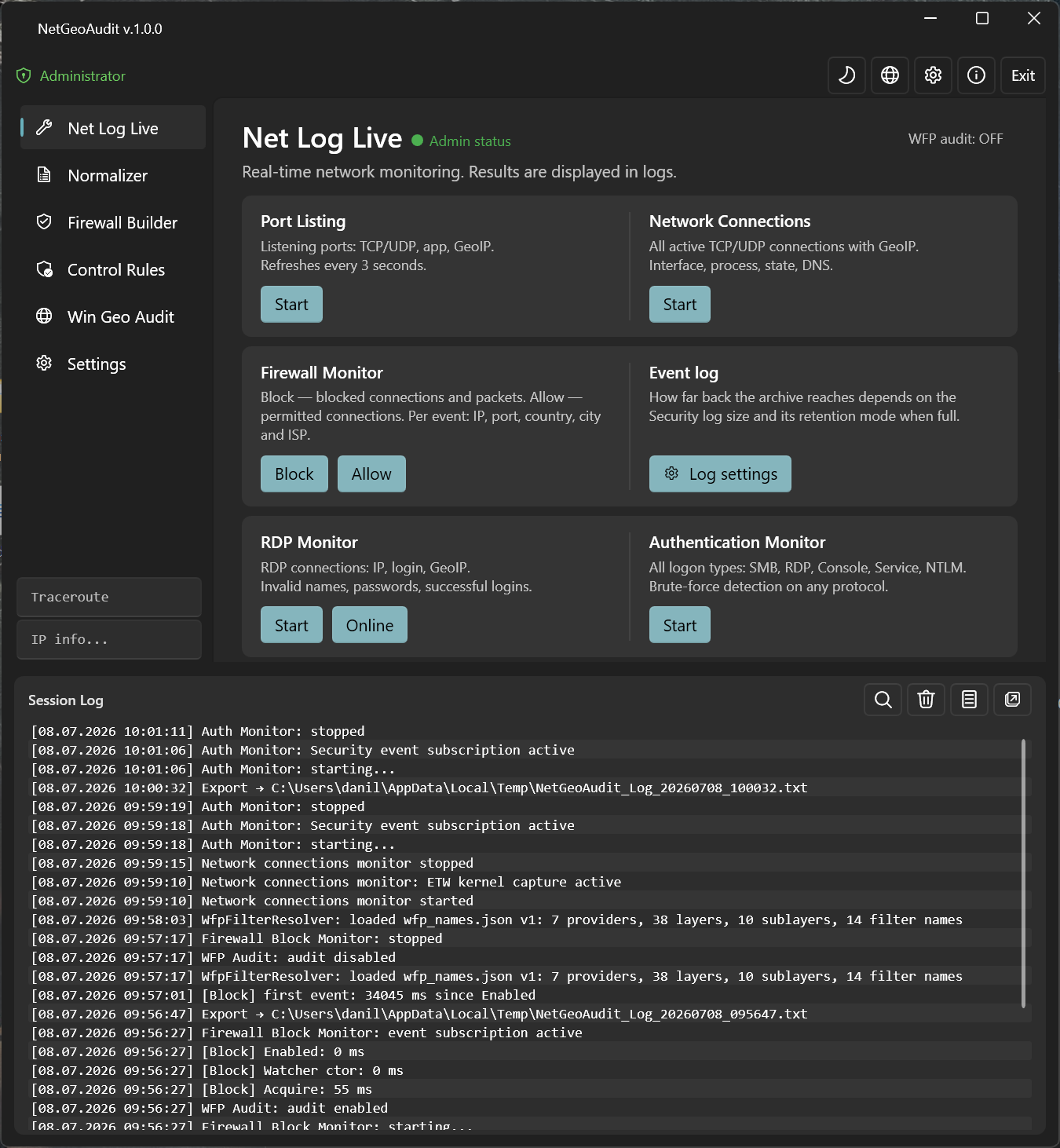
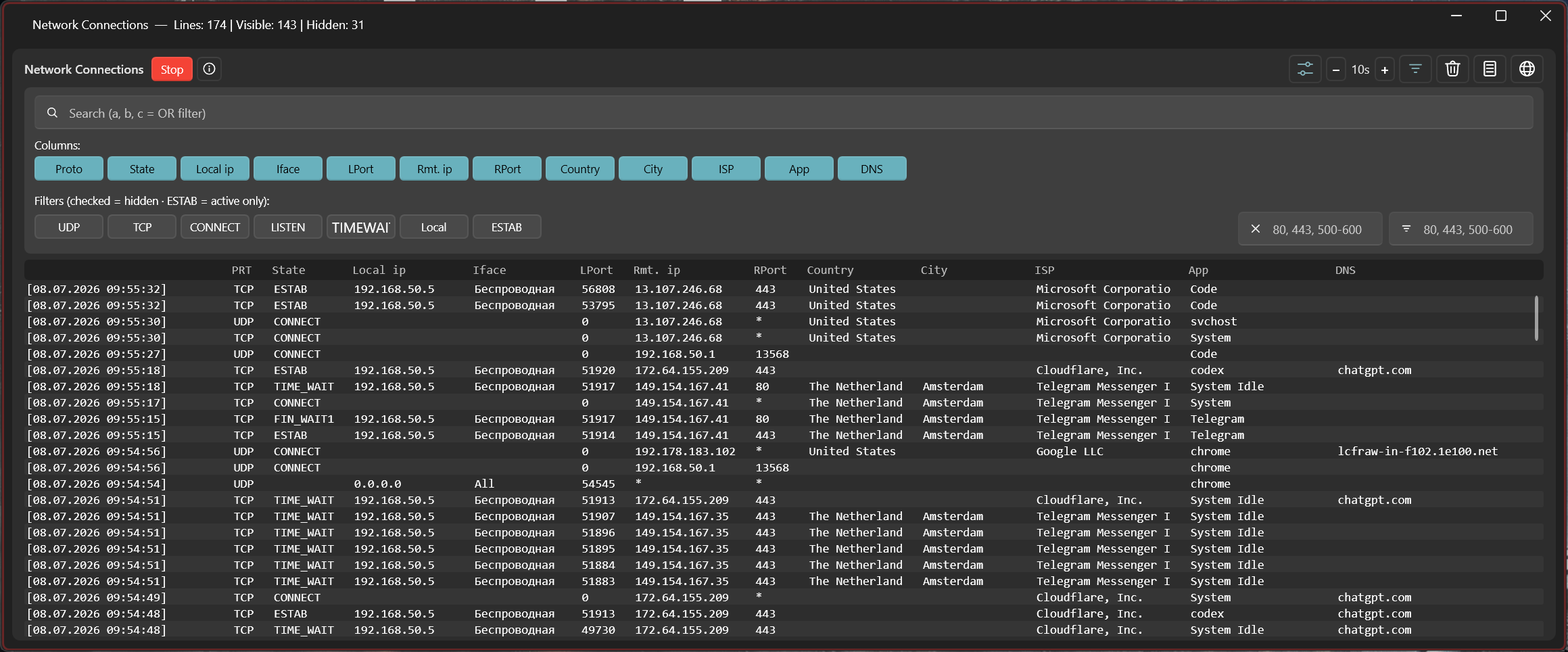
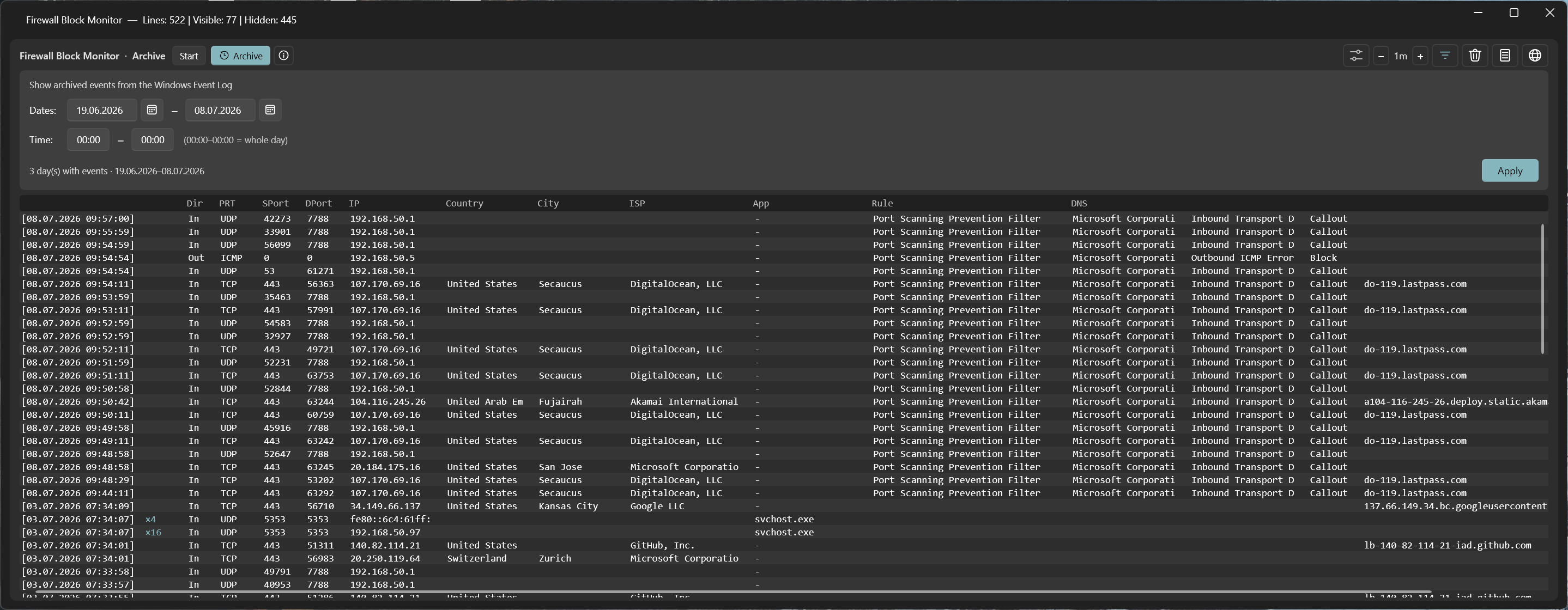
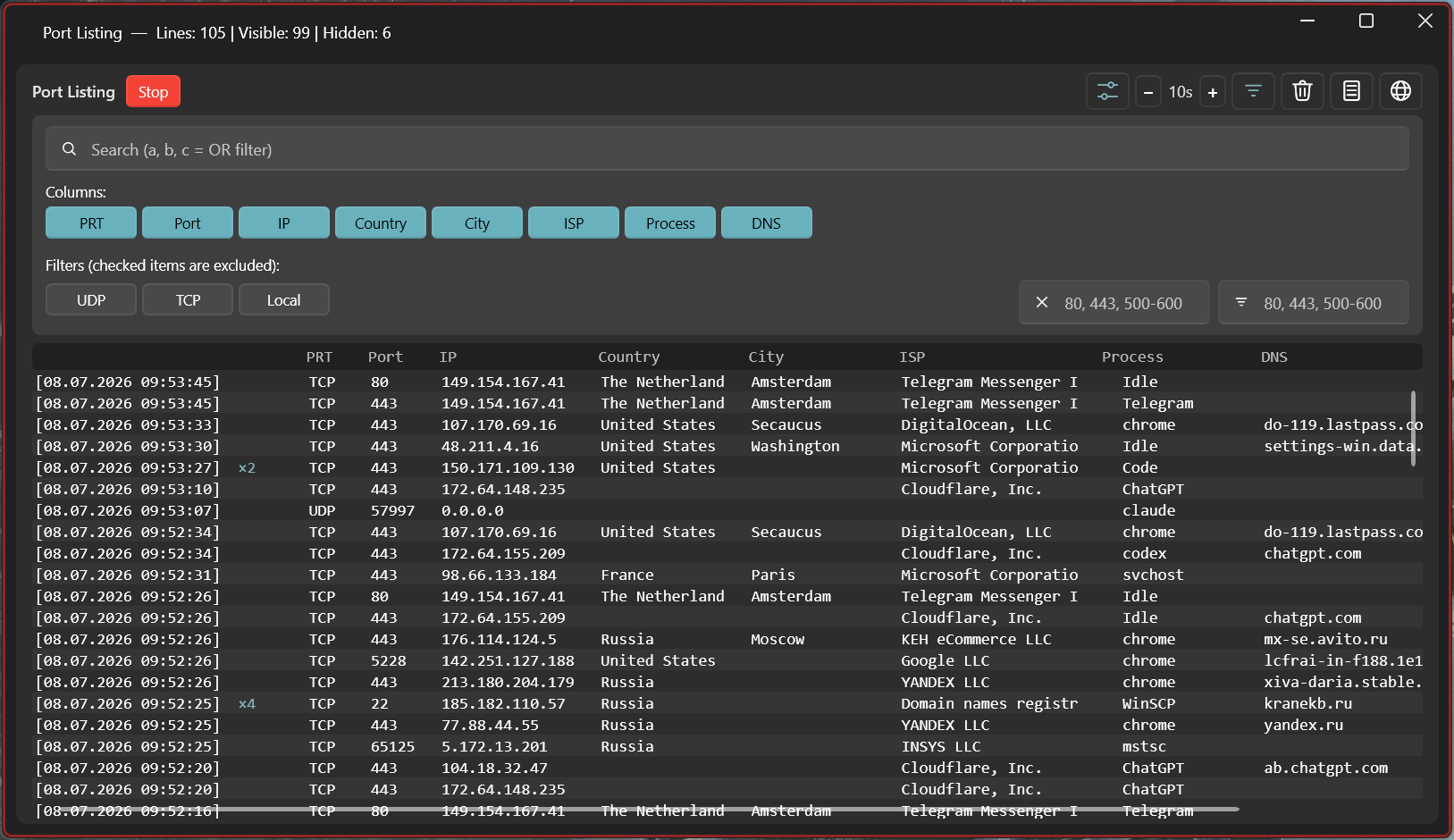
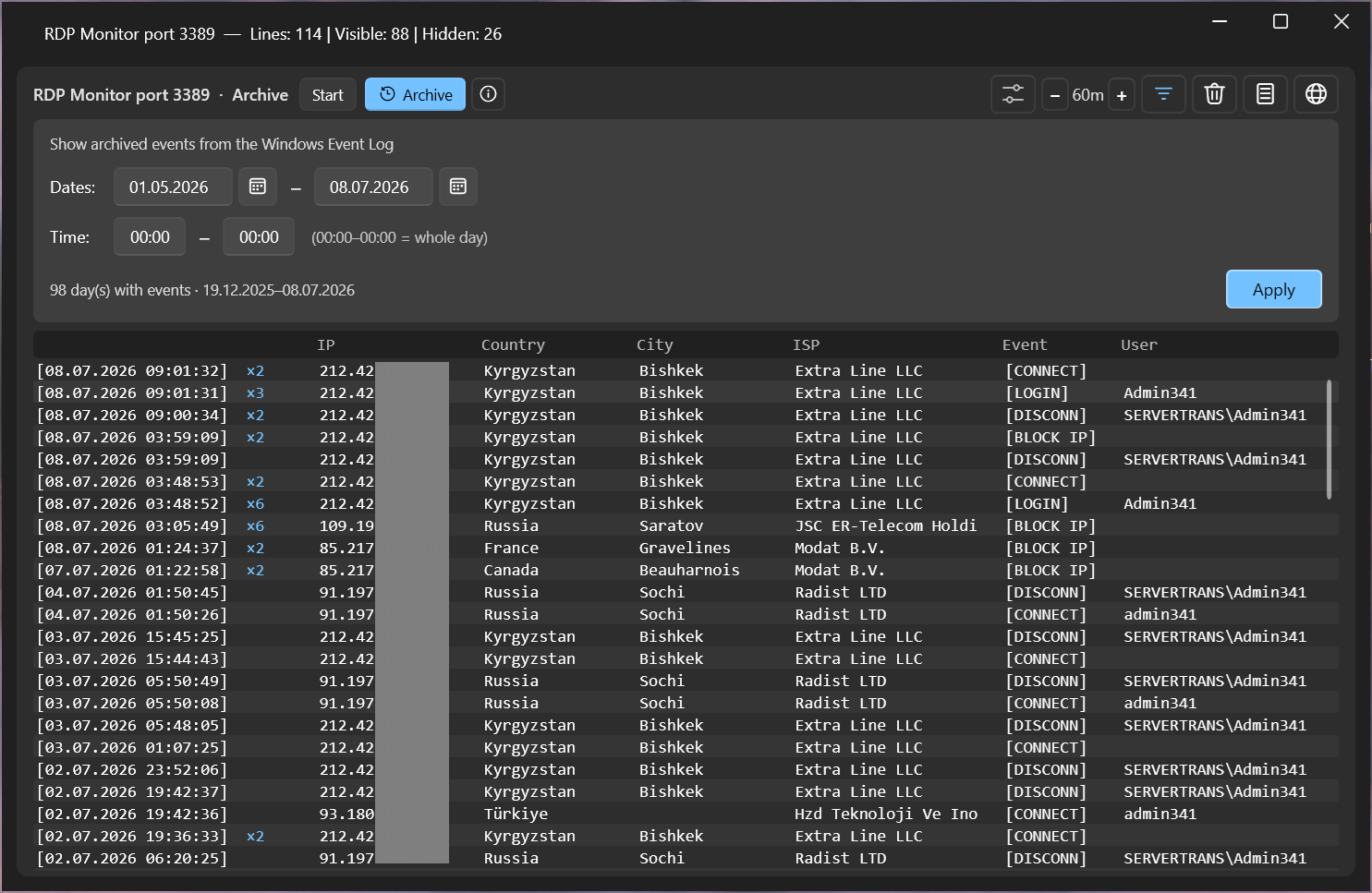
Live monitors through Windows Event Log and WFP: blocked (5152/5155/5157/5159) and allowed (5156/5154/5158) connections, RDP sessions (incl. NLA and the pre-password stage, brute-force), NTLM/Kerberos/SMB authentication and account lockouts. Network connections over IPv4 and IPv6 with real-time ETW capture. Process attribution and GeoIP.
Firewall Builder
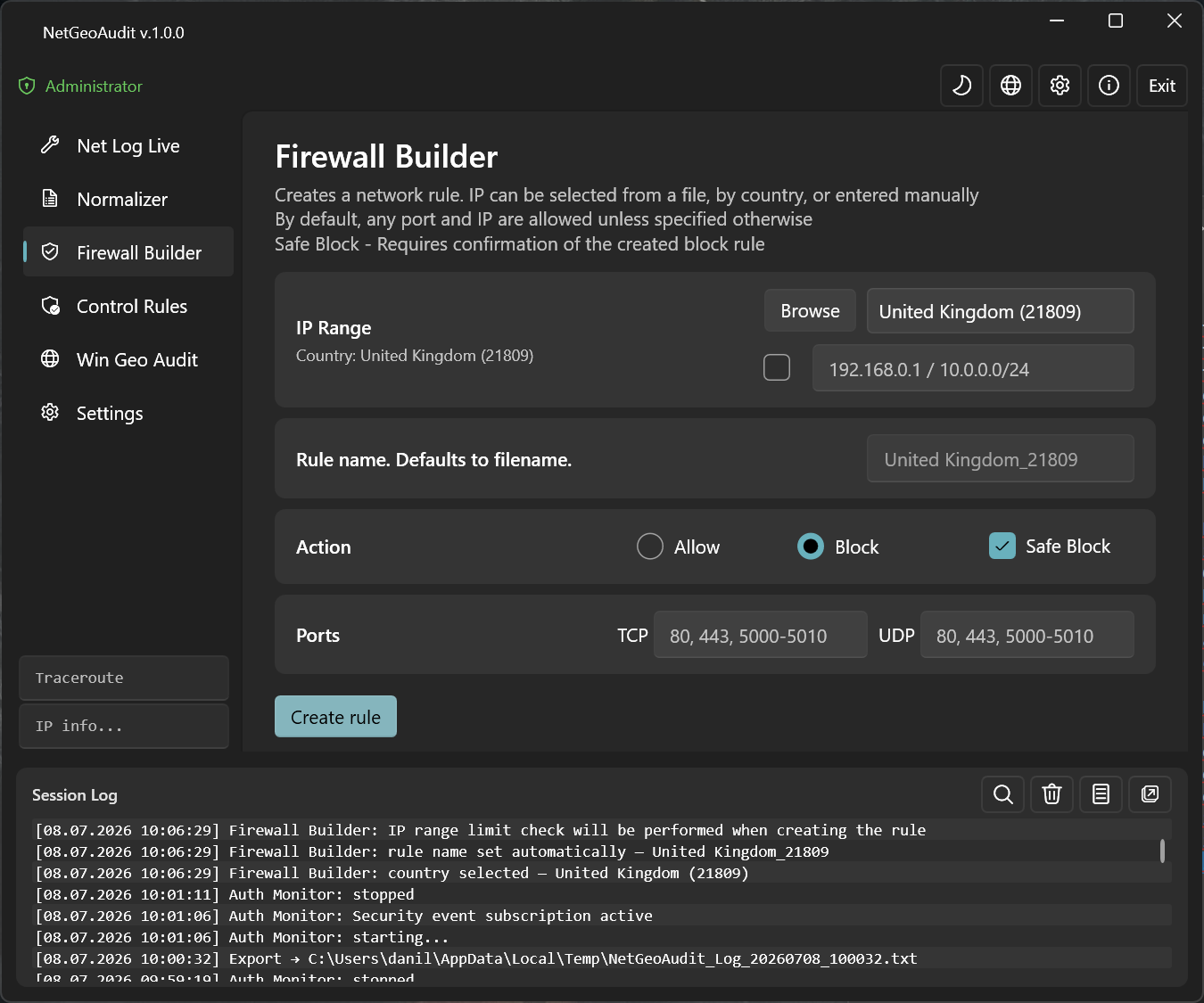
Create Windows Firewall rules from IP ranges, IP-list files, or entire countries. Safe Block — confirm before activating a block rule. Automatic chunking of large ranges around COM API limits.
Control Rules
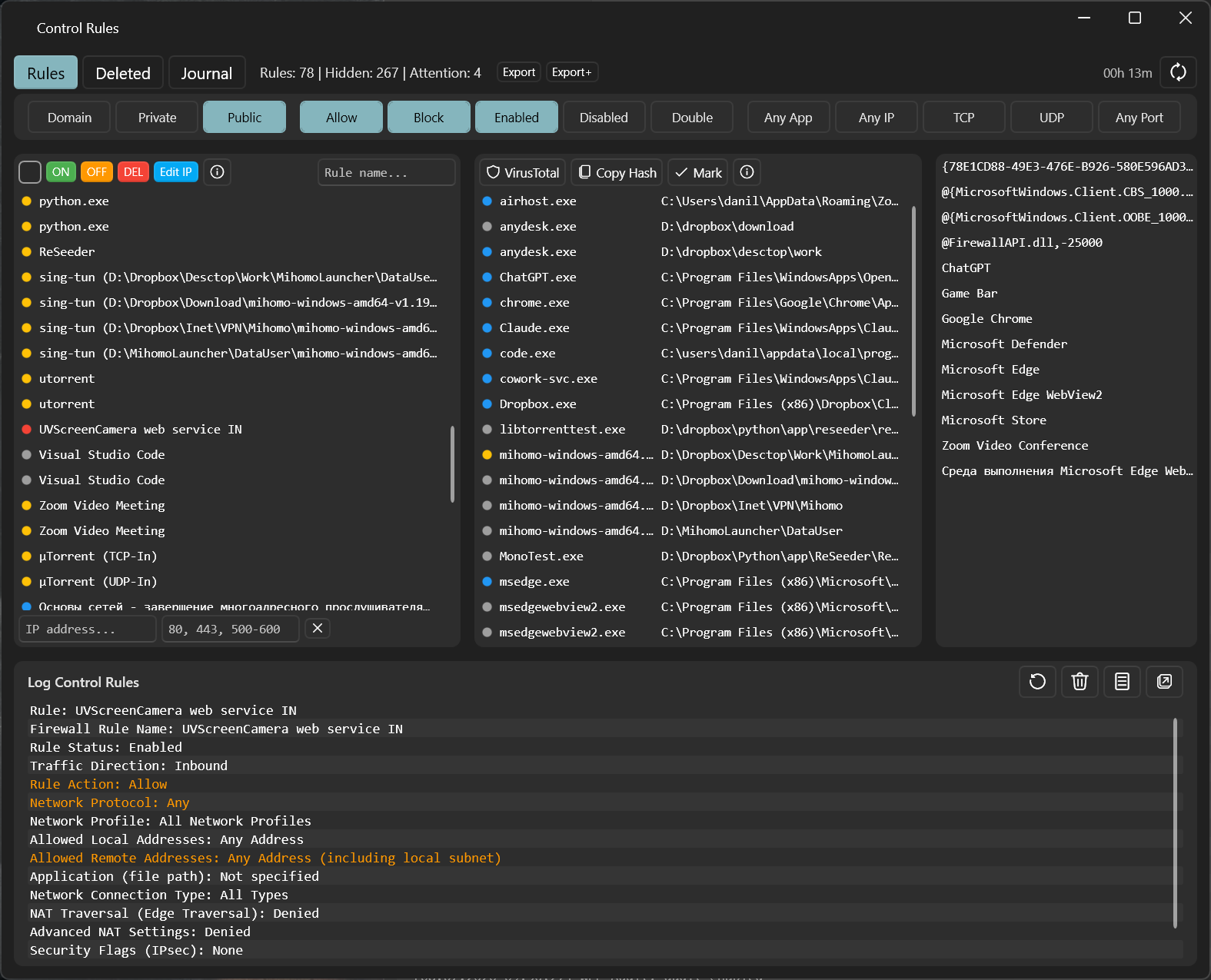
Full audit of firewall rules via COM API. 5-level risk scoring, grouping by application, 13 toggle filters (Public/Private/Domain, Allow/Block, Enabled/Disabled, TCP/UDP). VirusTotal integration by SHA-256.
Win Geo Audit
50+ system scanners: locale, registry, WMI, certificates, Telephony API, Wi-Fi Country Code, SIM MCC, public IP. 18-level country resolution chain, final verdict: "Windows installed in RU, user changed to DE".
Traceroute + GeoIP
Traceroute with per-hop geolocation via offline MaxMind GeoLite2 databases (City + ASN). IP Lookup right from the main window — up to 11 lines of detail: Continent, Country, Subdivision, City, ASN, ISP.
Normalizer
Normalize raw IP files into Firewall Builder format: parse CIDR, ranges, and individual IPs, merge overlaps, split by line-count limit. Test Limit — binary search for the largest rule size the current system accepts.
Screenshots / what it looks like
05 / viewsUtilitiesPage

event 5156

netstat + GeoIP

HNetCfg.FwPolicy2

COM API + scoring

Tech / how it's built
/ stackNetGeoAudit is written in .NET 10 and C# using WPF and the WPF-UI library for Fluent Design. Architecture is MVVM via CommunityToolkit.Mvvm, dependencies are injected through Microsoft.Extensions.DependencyInjection.
Under the hood: Windows Filtering Platform (WFP) and Event Log Watcher for live monitoring, the COM interface HNetCfg.FwPolicy2 for firewall rule management, Microsoft.Data.Sqlite for local storage, MaxMind GeoLite2 (City + ASN) for geolocation.
The "local and quiet" principle: all databases are offline, no external APIs for core functionality, no telemetry. A public IP is looked up only on explicit user request via ipify.org.
FAQ / common questions
/ faqDo I need administrator rights?
Yes, for most features: WFP monitoring (Firewall Block/Allow), Windows Event Log reading, firewall rule management, registry and WMI geo-audit.
Without admin rights only IP Lookup, Traceroute, and part of Net Log Live work. Launching without admin shows a red "Run as admin" button on the main screen — one click restarts the app with the right privileges.
How does the free edition differ from the full one?
The free edition is available indefinitely, with no time limit — download it and use it as long as you like. But functionality is limited: some monitors and tools run in a reduced mode.
The full license (5000 ₽, perpetual, one machine) unlocks every feature without restriction. Pay, get the confirmation email, press “Register” in the app, and keep working with the full toolset.
How do I buy and activate a license?
Pay via the QR code in the Buy section: scan it with your banking app and enter the amount of 5000 ₽ manually on the payment page.
Then fill in the form — your name exactly as in the payment (so we can identify the transaction), your email, and the Application ID (shown in the registration window as "Your ID").
We verify the payment and email you a confirmation. After that, press “Register” in the app — the license activates automatically (internet required; we do not send a key).
Does NetGeoAudit send my data anywhere?
No. Geolocation uses offline MaxMind GeoLite2 databases (City + ASN) shipped with the app. Firewall rules are stored in SQLite on your machine. No telemetry, no cloud, no analytics.
The only place the app talks to the internet is a public-IP lookup via api.ipify.org when you start Win Geo Audit, and the license check. This can be disabled in Settings.
How is NetGeoAudit different from Wireshark?
Wireshark is a packet analyzer at the network-adapter level (libpcap/npcap). It sees every packet with every protocol header — a powerful tool for protocol decoding.
NetGeoAudit works through Windows Filtering Platform (WFP) and Event Log. It shows firewall-level events: which connection is allowed, which is blocked, which program started the traffic, which rule fired — all enriched with GeoIP.
Roughly: Wireshark is for decoding bytes inside packets. NetGeoAudit is for answering "who is connecting right now" and "why is this rule blocking".
Does it work on Windows Server?
Partially. Firewall and RDP monitoring — yes, actively tested on Server 2019/2022. DnsCacheService automatically falls back to polling ipconfig /displaydns on Server editions (ETW DNS events behave differently there).
Parts of the geo-audit are N/A: SIM MCC (no modem usually), Wi-Fi Country (no wireless adapter usually). The remaining scanners work the same as on desktop.
Server 2016 should work but isn't tested regularly. Server 2012 R2 is not supported — requires .NET 10, which doesn't install there.